The Viral AI Train Window Video Trend, Explained
If your feed has suddenly filled up with train commutes that turn into something out of a myth, you're not imagining it. Right now, one of the fastest-moving formats on TikTok and Instagram Reels is a short clip of someone riding an ordinary train, filming the city through the window on their phone, when the view outside quietly dissolves into something that shouldn't exist: a floating mythological city above the clouds, a plain full of dinosaurs, or a giant eye pressed against the glass. This guide breaks down what the trend actually is, the generation technique behind it, which tools creators are using, and how to make your own version honestly.
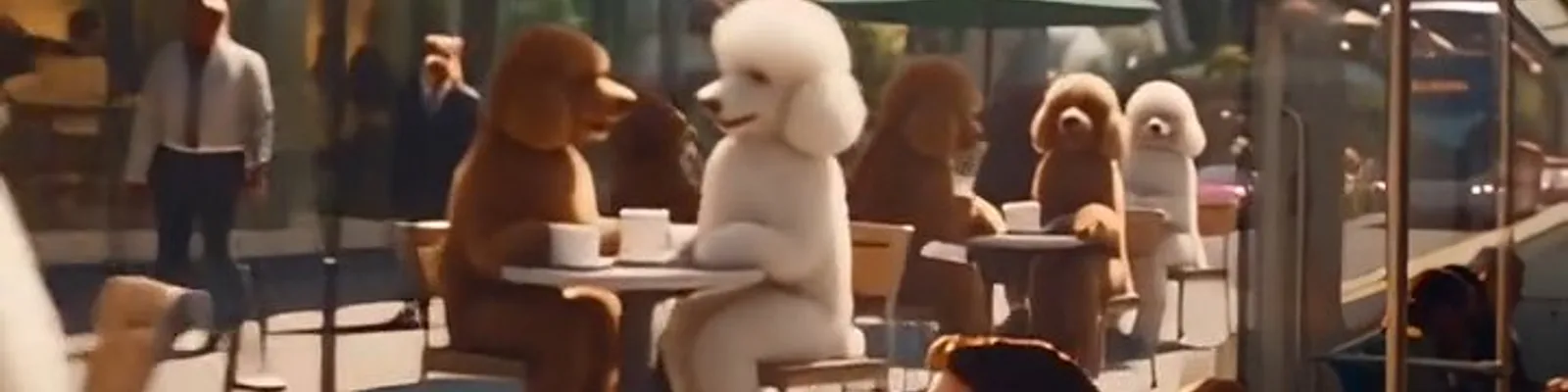
The "train window" trend is an AI video effect: a realistic train interior stays exactly the same while the world outside the window is swapped for something impossible, usually with passengers reacting and filming it on their phones. It's made with image-to-video or video-to-video AI generators such as PixVerse, Kling, Seedance and Veo. You don't need a real train or any filming at all - the whole thing, foreground and reveal, is generated.
What the AI train window trend actually is
The format is simple and that's exactly why it spreads so fast. A clip opens on an ordinary commute: tired passengers, city lights sliding past a train window at dusk, nothing remarkable. Then, without a hard cut, the scene behind the glass changes into something the passengers clearly weren't expecting either - they lean in, point, film it on their phones, exactly like you would if your train window turned into a portal.
The three variants that keep showing up are a mythological floating city in the clouds (think marble towers and waterfalls, Mount-Olympus style), a prehistoric plain with dinosaurs grazing next to the tracks, and a more unsettling twist where something impossible, like a giant eye, presses right up against the window and looks in. The appeal is the contrast: the mundane train interior sells the realism, so the reveal hits harder.
None of it is filmed. There's no real train, no real city, no real anything behind the glass - it's AI video generation from end to end, and that's worth being upfront about, which we come back to later in this guide.
How creators actually make the effect
Under the hood, this is the same image-to-video and video-to-video generation you'll find behind most AI video trends, just aimed at a specific idea: keep the foreground stable, swap the background behind a frame. A creator typically starts from a photo or short clip of a train interior (real or AI-generated), then prompts a model to animate the scene and replace whatever is visible through the window with the reveal they want - a city in the clouds, a herd of dinosaurs, a giant eye - while keeping the seats, the passengers and the window frame consistent.
Getting a clean result takes a few regenerations. The window frame has to stay geometrically stable while the content behind it changes completely, and the passengers' reactions (leaning in, raising a phone) need to read as natural rather than stiff. That's exactly the kind of shot that separates a so-so model from a good one - see our guide to writing AI video prompts if you want to get better results on your own attempts.
PixVerse is one of the more visible generators behind this specific trend right now, largely thanks to its character-consistency feature, which helps keep the passengers looking like the same people shot to shot. It's not the only tool capable of it, though - creators are getting similar reveal-style results with Kling, Seedance and Veo, among others. If you're curious how PixVerse actually compares to a multi-model alternative for this kind of work, we cover that in detail in Deevid AI vs PixVerse.
Tools people are using for this trend
Beyond PixVerse, two other approaches are worth knowing about if you want to try this yourself: a single frontier model dialed in for motion realism, or a suite that lets you switch models per shot when one doesn't nail the reveal.
Tools that handle this kind of shot
These two generators cover the two ends of the spectrum: one frontier model tuned for motion realism, and a suite that lets you switch models per shot.
Kling AI
One of the strongest image-to-video models for motion realism, which is exactly what a convincing window reveal needs. Works well for a single, consistent look across a project.
Deevid AI
Bundles 14+ frontier models, including Kling, Sora 2 and Veo 3.1, so you can try the same reveal on a different engine if one doesn't nail the shot, without extra subscriptions.
Want to compare PixVerse against a multi-model suite before you pick a tool for your own reveal video?
Read Deevid AI vs PixVerseHow to make your own train window reveal
- Start with a plate shot. Use a real photo of a train interior with a window, or generate one, showing a couple of passengers and a visible window frame.
- Pick an image-to-video or video-to-video tool. PixVerse, Kling, Deevid AI's bundled models and similar generators all support this workflow.
- Prompt the reveal specifically. Describe what should appear through the window (a floating city, a prehistoric landscape, a giant eye, whatever fits your idea), and ask for the interior and window frame to stay unchanged.
- Add the reaction. A believable reveal usually needs passengers noticing it - leaning toward the glass, raising a phone to film. Prompt for that explicitly if your first pass looks too static.
- Regenerate the weak frames. Expect a few attempts before the window frame stops warping and the reveal reads clearly. This is normal for this kind of shot on every generator.
- Label it as AI-generated when you post it. See the honesty section below for why this matters.
Other creators are also running historical or prehistoric versions of the same idea, a plain full of dinosaurs instead of a city or a stare, which shows how flexible the underlying technique is: it's really just "keep the foreground, replace what's behind the frame," and the reveal itself can be almost anything.
Is any of it real, and should you say so?
No part of the reveal is real, and in most versions of the trend neither is the train interior. That's not a criticism of the format - it's a clearly synthetic, clearly fantastical effect, closer to a visual-effects reel than a hoax. But the honest move as a creator is to say so in your caption or on-screen text rather than let it be mistaken for composited real footage. Viewers generally enjoy the trend more, not less, once they know it's AI - the craft is the point.
This matters more broadly too: as these effects get better, the gap between "obviously AI" and "could pass for real" keeps narrowing. Labelling synthetic video isn't just good etiquette, it's becoming the baseline expectation on most platforms. If you're publishing AI video regularly, it's worth building that disclosure into your workflow from the start rather than adding it as an afterthought.
Frequently asked questions
What is the AI train window video trend?
It's a viral AI video format where a realistic train interior stays the same while the world outside the window changes into something impossible, such as a mythological floating city, a prehistoric plain, or a giant eye looking in. Passengers usually react and film it on their phones inside the clip.
Which AI tool made the viral train window videos?
PixVerse is one of the more visible generators behind this specific trend, thanks in part to its character-consistency feature. It isn't the only one capable of it, though - similar results are being made with Kling, Seedance and Veo.
Can I make this effect for free?
Most of the generators involved, including PixVerse, offer some kind of free tier or free credits to start, though output is usually watermarked and capped at a lower resolution until you upgrade. Expect a few regenerations before the window frame stays stable.
Is the train window trend real footage?
No. The reveal itself is entirely AI-generated, and in most versions the train interior is too. It's a synthetic effect built to look like a real, filmed moment - which is exactly why creators should label it as AI-generated rather than let it pass as composited real footage.
Which is better for this trend, PixVerse or Deevid AI?
PixVerse is a focused, single-vendor generator that's currently well suited to this exact reveal style. Deevid AI bundles PixVerse's category of competitors (Kling, Sora 2, Veo 3.1 and others) under one login, which helps if you want to try the same reveal on a different model without paying for a separate subscription. We compare the two in detail in Deevid AI vs PixVerse.
Will this trend still matter next month?
The exact "train window" format will fade like every micro-trend does, but the underlying technique - keep the foreground stable, swap what's behind a frame - is a reusable idea that resurfaces in new costumes every few months. Learning the workflow once pays off well beyond this specific trend.
Try the reveal yourself
Deevid AI bundles 14+ frontier models, including several capable of this kind of shot, under one subscription with commercial rights from $10/mo.
Try Deevid AI