Independent review · 2026

Deevid AI Review: one tool, 14+ AI video models

Most AI video tools give you one model and one trick. Deevid bundles Sora 2, Veo 3.1, Kling, Runway and a dozen more behind a single login - plus an AI agent, ad templates and music. We dug into the app to see whether that breadth actually holds up.

20 free credits on signup · No card needed

Sora 2Veo 3.1KlingRunwayPika+ 10 more

Scored, criterion by criterion

Model selectionExcellentThe widest bundle we've come across, full stop.
Ease of useExcellentThe agent and clean panels mean almost no learning curve.
Output qualityVery goodStrong, but it rides on whichever model you choose.
Commercial rightsExcellentFull commercial use from the cheapest paid plan.
Value for moneyVery goodCheaper than stacking separate subscriptions - if you watch your credits.
Free planFairEnough to test, not to ship: 20 credits, watermarked.

What you can actually make with it

Less feature checklist, more "what shows up on your timeline." These are the jobs Deevid is built for.

Product ads & UGC

Drop a product photo into the ad generator and get a short spot, an AI try-on, or a talking product avatar - the kind of thing brands pay agencies for.

Faceless YouTube & Shorts

Turn a script into b-roll and scenes with text-to-video, then add an AI voiceover. No camera, no face on screen.

Clips from what you already have

Feed an image, an old video, or even a URL, and restyle or animate it. Video-to-video is handy for refreshing a back catalogue.

Soundtrack & voice in the same place

Generate a backing track (song or instrumental) and a cloned voice without exporting to a second tool.

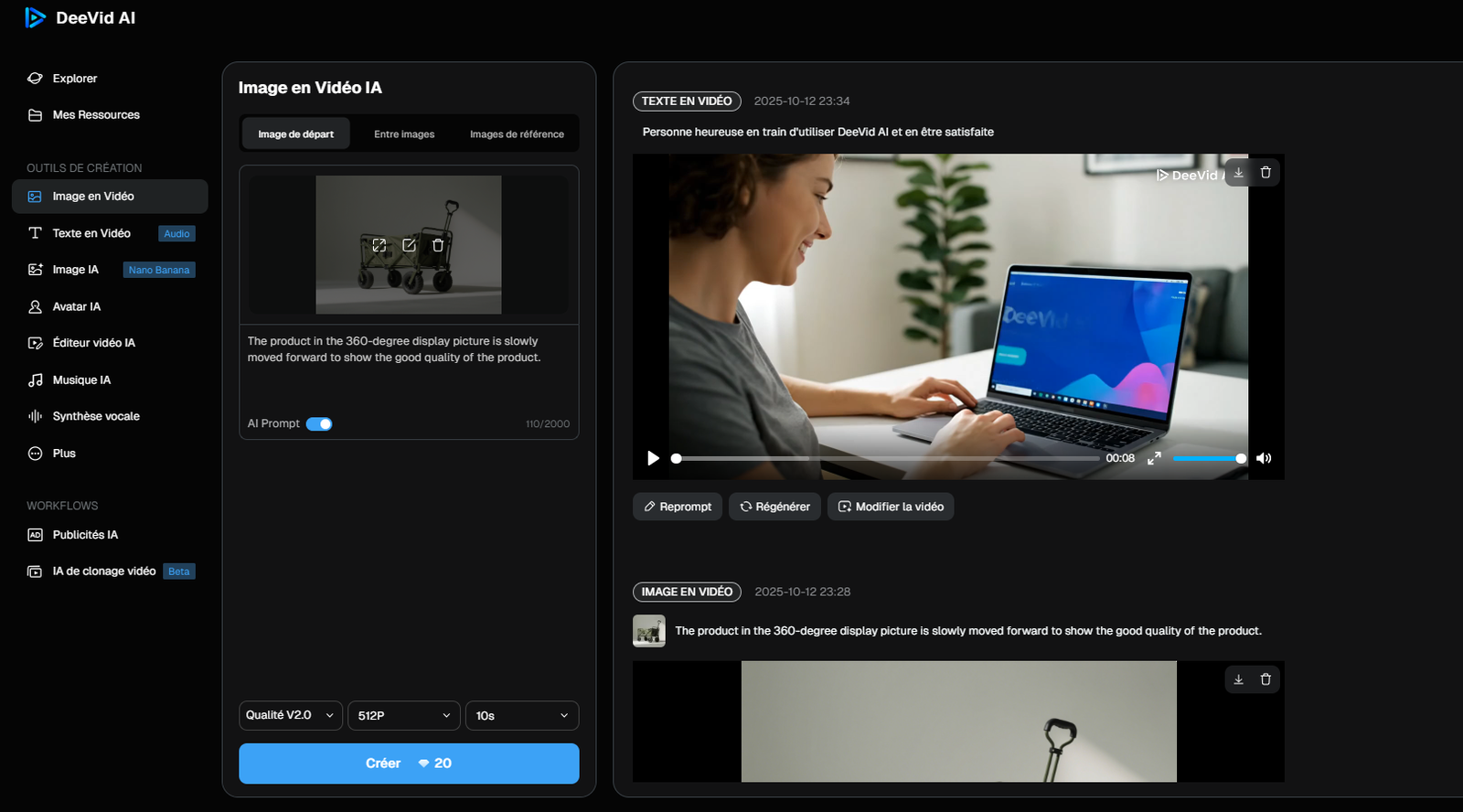
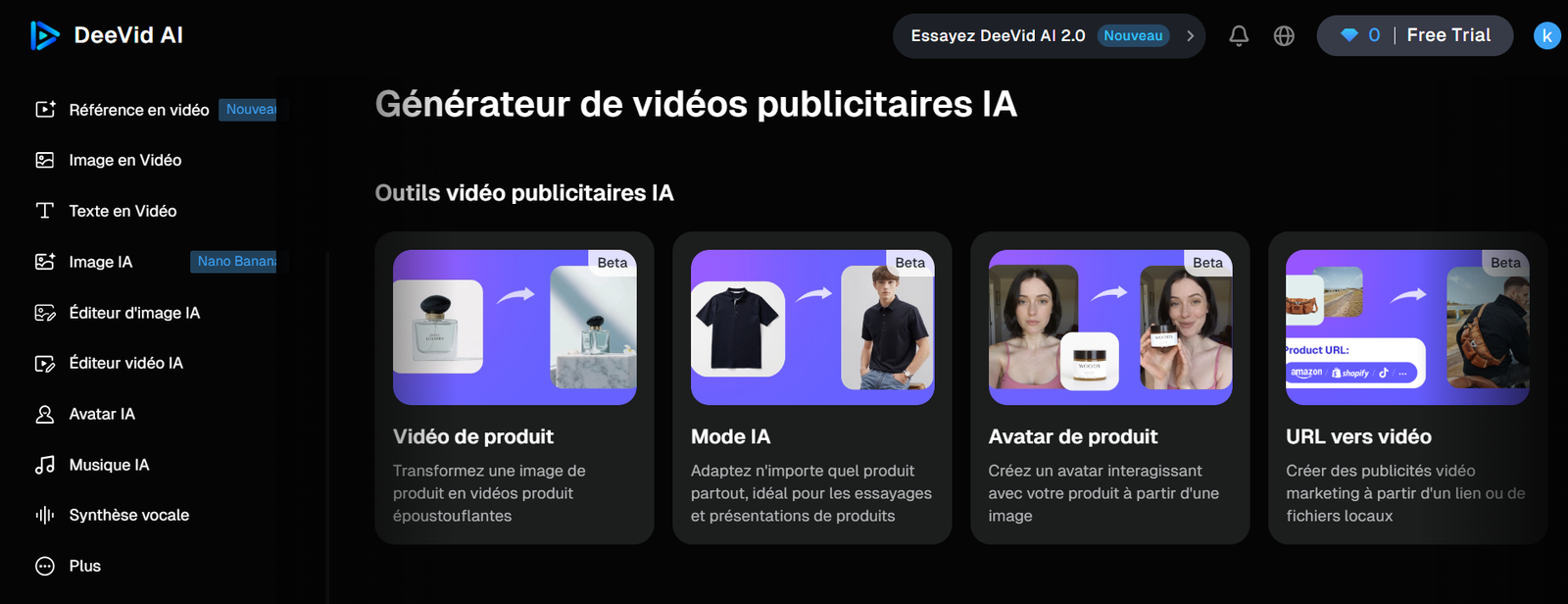
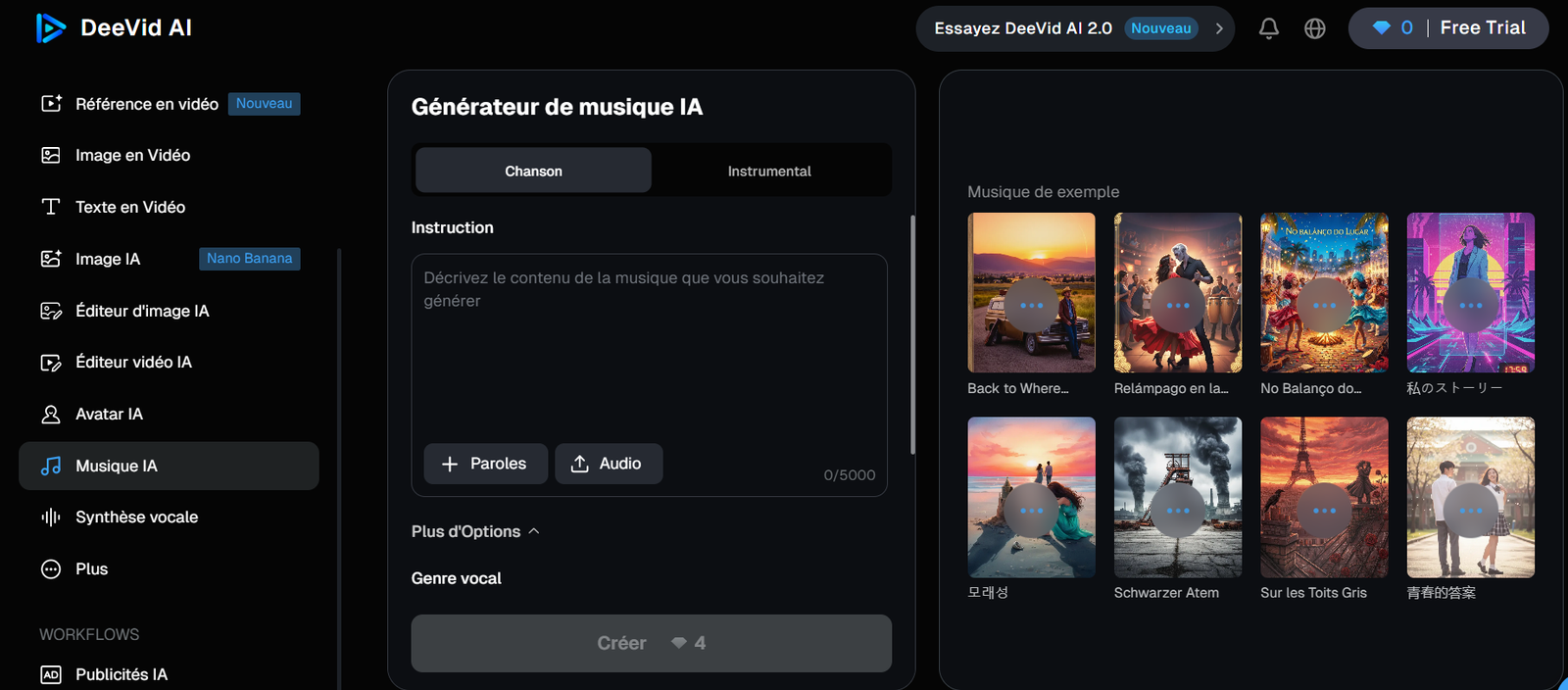
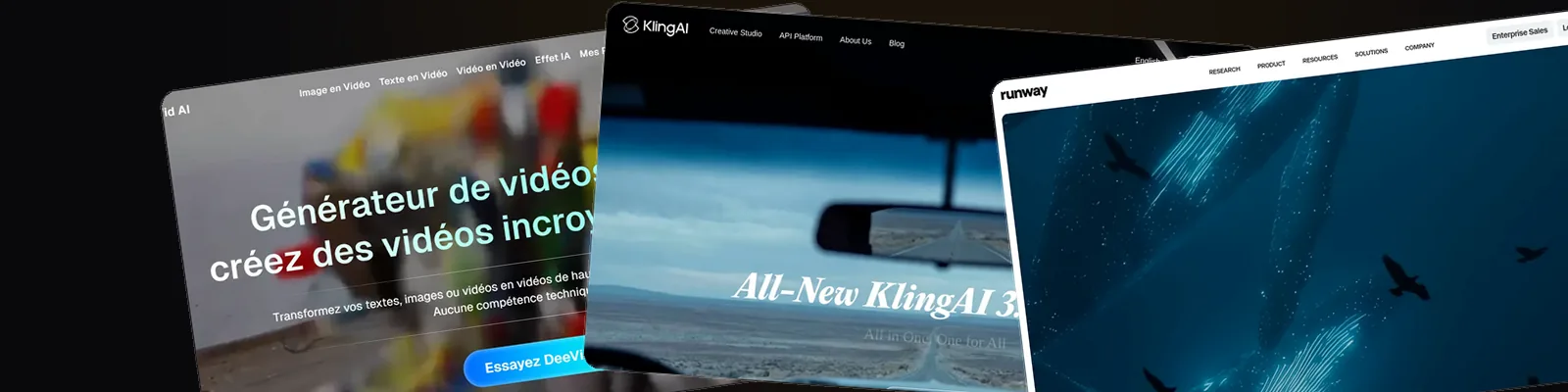
A look inside Deevid AI

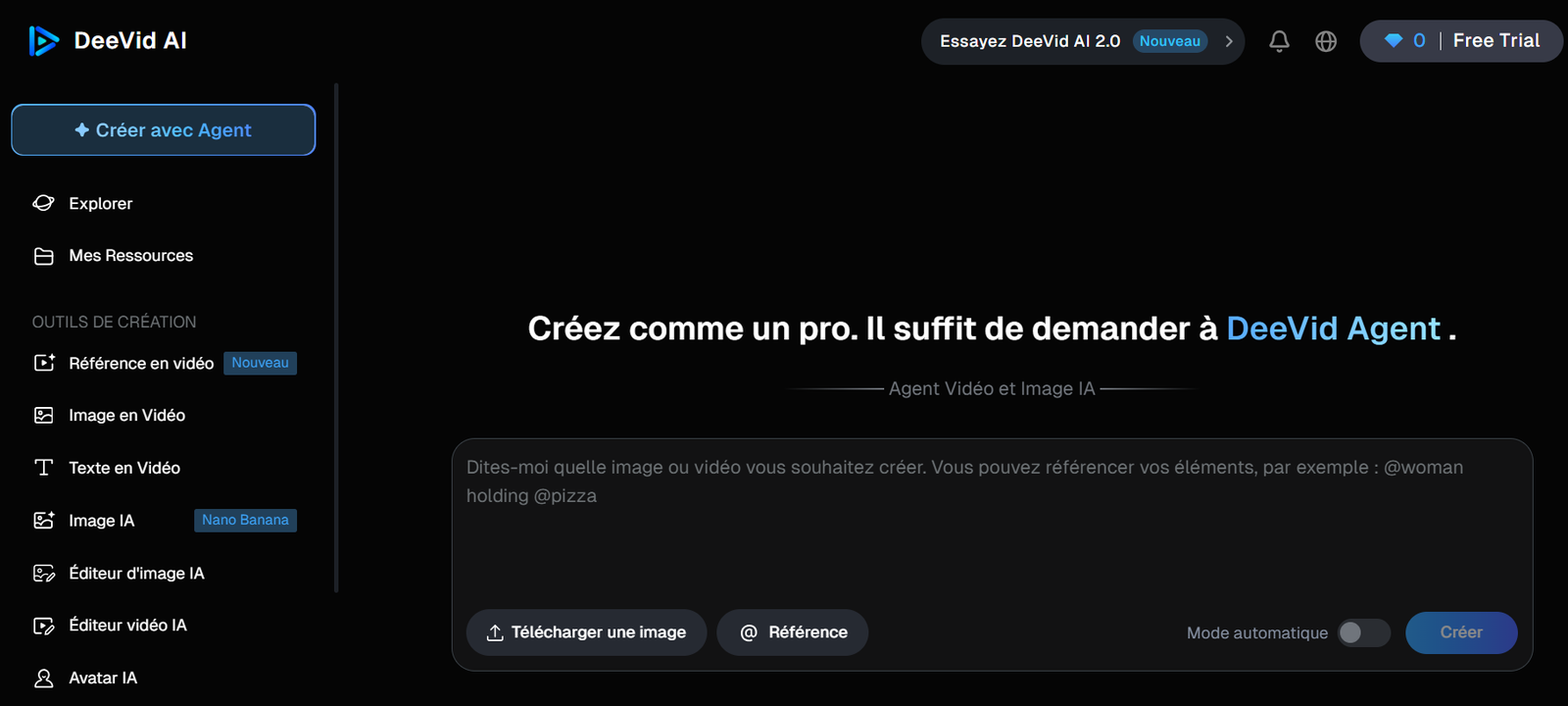
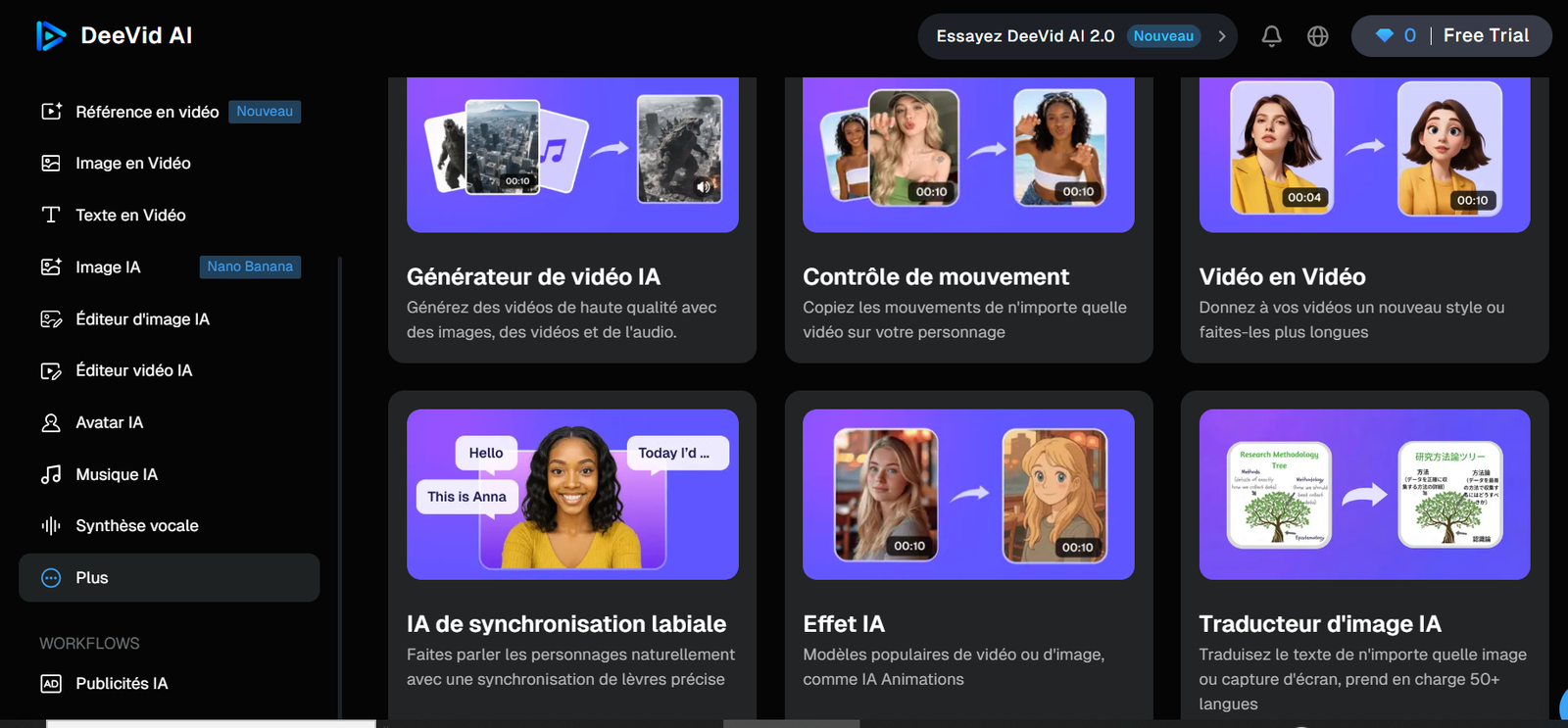
Screenshots from the actual app (version 2.0), so you can see the interface before signing up - not just take our word for it.

The features that matter

We've grouped the long tool list into what you'll realistically use.

14+ models, one login

Sora 2, Veo 3.1, Kling, Runway, Pika and more. Switch models mid-project without a second subscription.

DeeVid Agent (2.0)

Describe the result in plain language and the agent picks the tools and chains them - the easiest on-ramp for beginners.

Text-, image- & video-to-video

Start from a prompt, a still image, an existing clip, or even a URL. All three classic modes are here.

Built-in ad generator

Product videos, AI try-on, product avatars and URL-to-video templates aimed squarely at e-commerce and DTC.

Lip-sync & motion control

Make a character speak in sync, or transfer motion onto your subject - the touches that sell a clip.

AI music & voice

Generate a soundtrack and clone a voice in the same app, so audio isn't an afterthought.

Character consistency

Keep the same character across shots and scenes - historically the weak spot of AI video.

Full commercial license

Use everything you make commercially, included from the entry-level paid plan.

Who it's for - and who should pass

It's a good fit if…

  • You publish across formats and want one bill, not five.
  • You run product or DTC ads and can use the templates + commercial license.
  • You're new to AI video and want the agent to do the heavy lifting.
  • You value model choice over squeezing the absolute best out of one engine.

Look elsewhere if…

  • You need native 4K for broadcast or cinema delivery.
  • You've already mastered one model and only ever use that.
  • You generate at high volume and want unlimited, not a credit budget.

Deevid AI pricing

Checked on deevid.ai in May 2026. Paying yearly knocks roughly 29% off. A quick tip: credits go further on the lighter models, so the $25 Pro plan is the sweet spot for most people.

Free
$0
20 credits on signup (~4 videos)
Watermarked output
  • Core features
  • Watermark on videos
  • A real try-before-you-buy
Start on this plan
Lite
$10/mo
or $120/yr
200 credits/mo (~40 videos)
Up to 720p
  • No watermark
  • Private generation
  • Full commercial use
Start on this plan
For heavy use
Premium
$119/mo
or $1,428/yr
3000 credits/mo (~600 videos)
Up to 1080p
  • Fast generation mode
  • Priority support
  • Made for agencies
Start on this plan

The trade-offs

What works

  • Genuinely many models in one place - no tool-hopping
  • Commercial rights from the $10 plan, not buried in an enterprise tier
  • The 2.0 agent removes the learning curve
  • Ads, music and voice are built in, not bolt-ons
  • Yearly billing trims about 29% off
  • 20 free credits to judge the output yourself first

What grates

  • Free tier is thin and watermarked
  • 1080p ceiling - no native 4K
  • Credits drain quickly on the premium models
  • Quality swings depending on which model you pick

Latest from the blog

Questions people actually ask

What is Deevid AI?

It's an all-in-one AI video app. Instead of one model, it bundles 14+ (Sora 2, Veo 3.1, Kling, Runway and others) plus an AI agent, an ad generator, music and voice - so you can go from idea to finished clip without leaving the tab.

Is Deevid AI free?

There's a free tier: 20 credits on signup (about 4 videos), no card required. Output is watermarked until you upgrade - fine for testing, not for publishing.

Is there a Deevid AI free trial?

In effect, yes: you sign up free and get 20 credits with no card required, so it works as a free trial. Output stays watermarked until you move to a paid plan from $10/mo.

Does Deevid AI give free credits every day?

No. The free tier is a one-time 20 credits on signup (about 4 short videos), not a daily allowance. Credits only refresh monthly on the paid plans - 200 on Lite, 600 on Pro, 3,000 on Premium.

How much does Deevid AI cost?

Paid plans run $10/mo (Lite, 200 credits, 720p), $25/mo (Pro, 600 credits, 1080p) and $119/mo (Premium, 3000 credits). Yearly billing saves roughly 29%.

Can I use the videos commercially?

Yes - full commercial use is included from the Lite plan ($10/mo) up, so ads, client work and monetised content are all fair game.

Which models does it include?

The headline ones are Sora 2, Veo 3.1, Kling, Runway and Pika, with 14+ in total. You switch between them inside the same project.

Does it really do more than video?

Yes. As the screenshots show, there's an AI music generator, voice/TTS, an image editor and an ad-template workflow - it's closer to a creative suite than a single generator.

Is Deevid AI worth it?

If you'd otherwise pay for several AI tools, the bundle is good value - the $25 Pro plan especially. If you only need one model or require 4K, the maths is less convincing.

How do I cancel my Deevid AI subscription?

You cancel from your Deevid account in the billing or subscription settings. Access continues until the end of the current billing period, and the cancellation simply stops the next renewal - no fees, no clawback.

Who owns Deevid AI?

Deevid AI is operated by the company that runs deevid.ai. We're independent of the vendor - Deevid AI Review is a reader-supported publication with no ownership or affiliation ties to Deevid. See our disclosure for details.
See the output for yourself

Twenty free credits is enough to run a real test. Generate a clip or two, judge the quality, then decide.

20 free credits on signup · No card needed